Присоединись к SMART NET! Присоединись

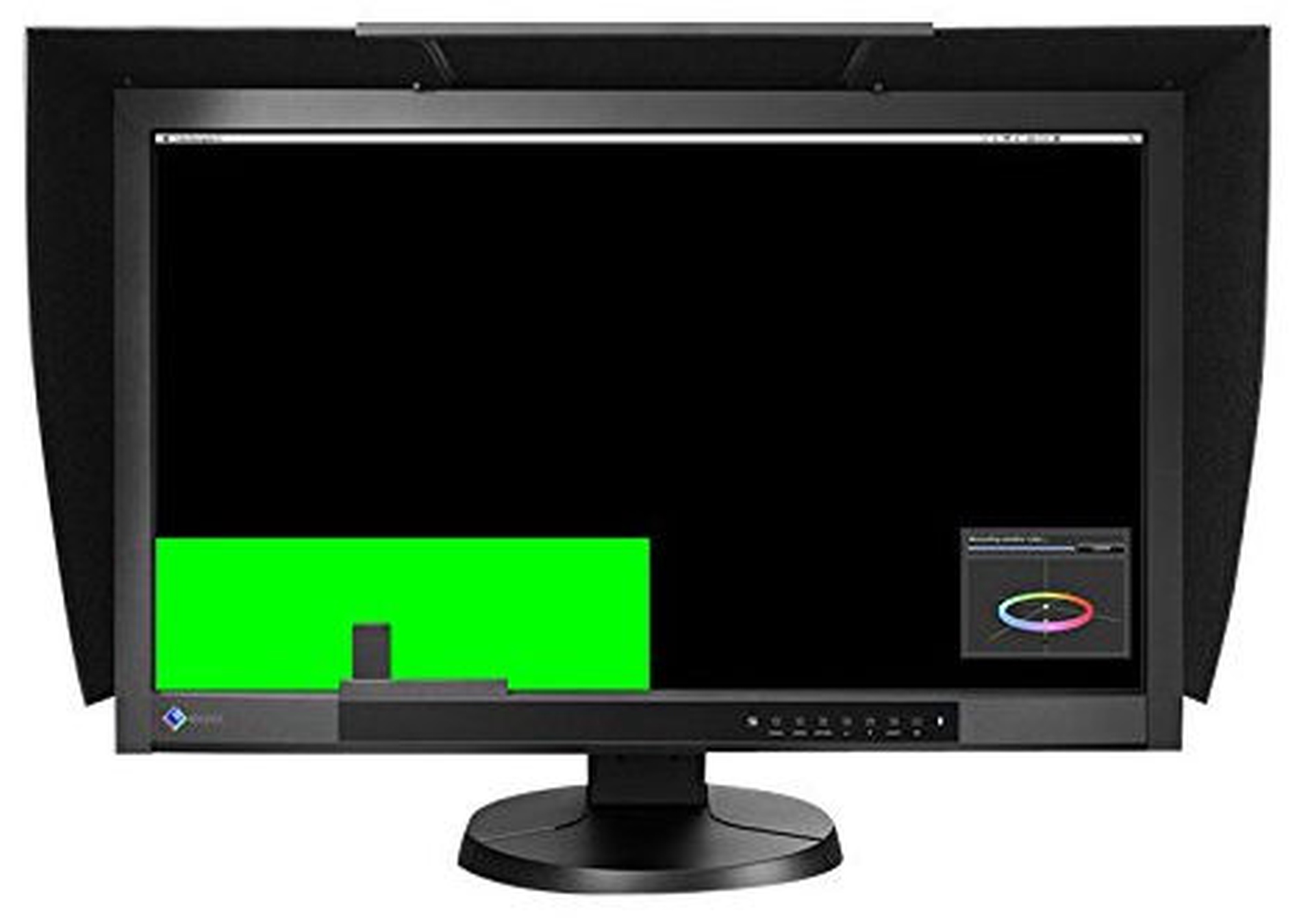
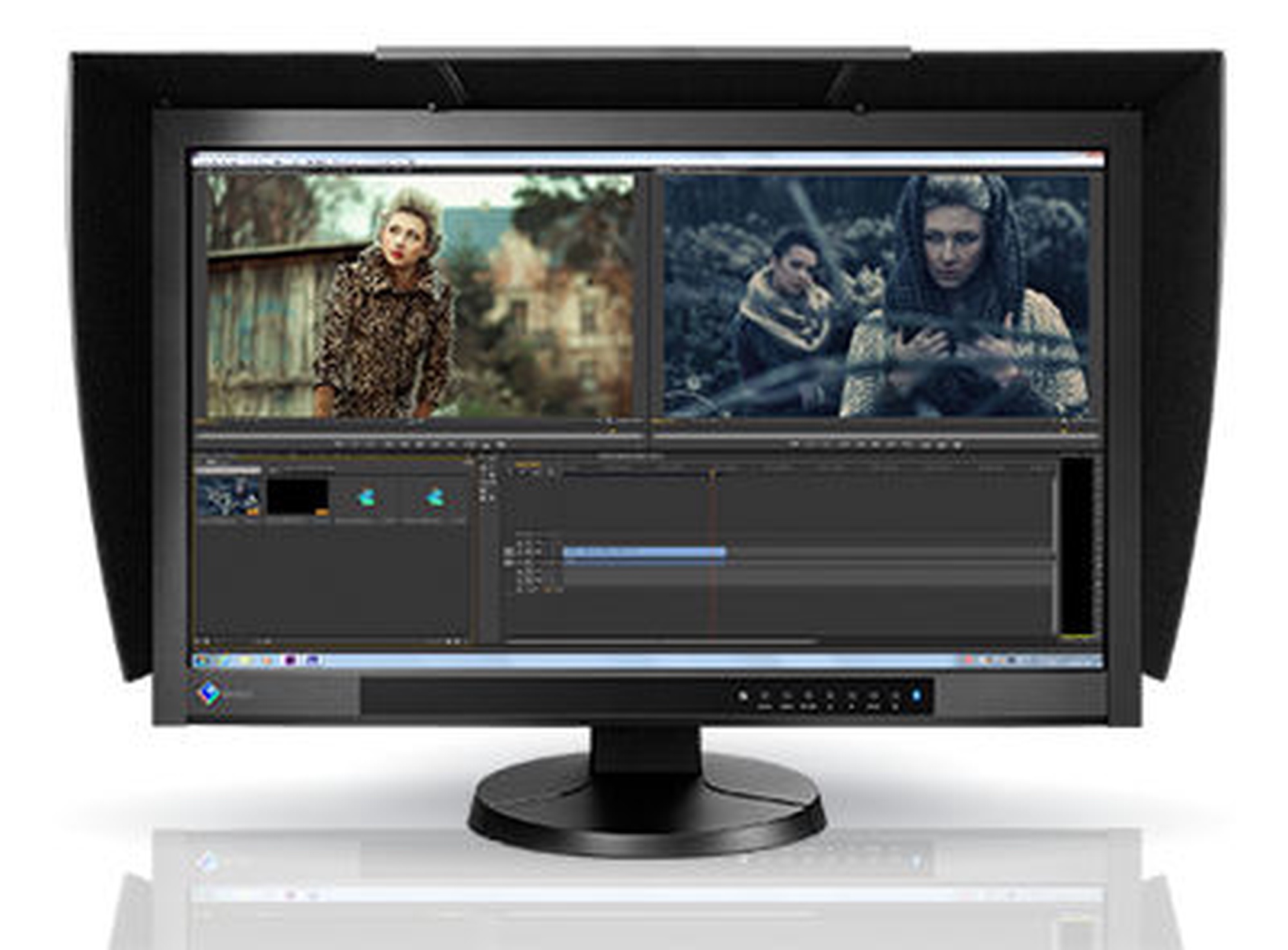
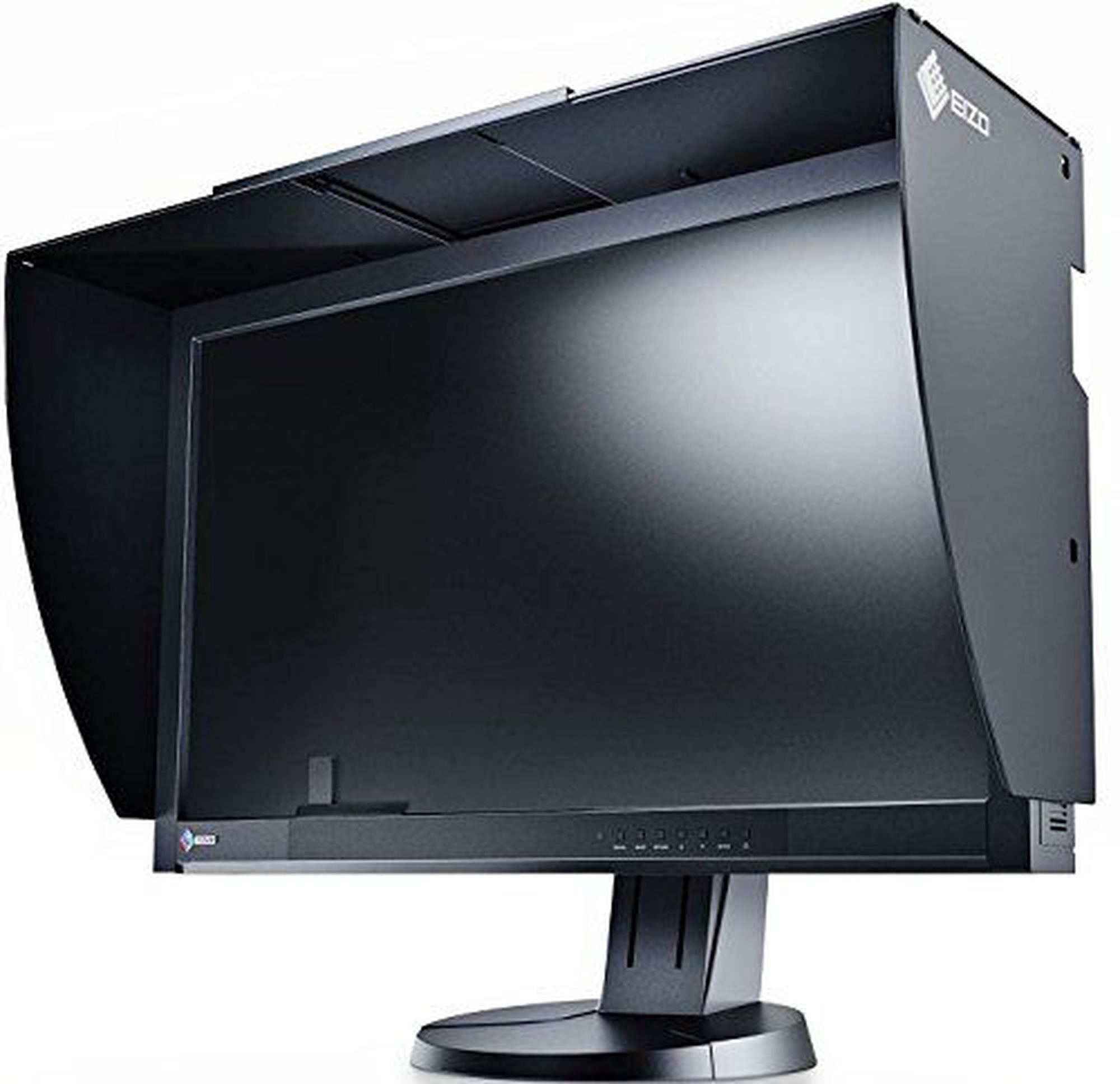
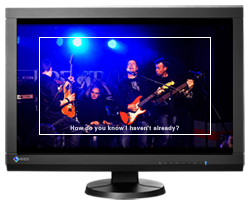
Монитор Eizo ColorEdge CG277-BK, IPS, 60 гц, 27″


Извини, данный товар в настоящий момент недоступен. Мы предлагаем посмотреть другие товары этой категории - уверены, что найдешь похожий товар!

Можешь продолжать совершать покупки, вернувшись на главную страницу или использовав поиск по сайту.
Информация о товаре

Свойства изделия

Общие характеристики

Тип продукта Мониторы
Бренд Eizo
Тип монитора
LCD и LED две основные технологии дисплеев, которые широко используются в наше время. Основные преимущества LCD: мнебольшой вес, высокая контрастность, пропорциональной формат изображения, яркие цвета, отсутствие мерцания, острое изображение, а также низкое энергопотребление. LED мониторы обеспечивают почти идеальное качество изображения, чтобы просматривать фильмы в высоком качестве, играть в новейшие игры и создавать презентации. LED мониторы не содержат ртуть, галоген или свинец. Это делает эти мониторы дружелюбными к среде, когда необходимо их перерабатывать.
LED мониторы
Модель ColorEdge CG277-BK
Цвет Черный цв.
Шкала классов энергоэффективности A - G

Экран

Тип экрана
Панель монитора главная особенность видимой части экрана, или технология в которой реализовано воспроизведение цветных точек (пикселей). TN это стандартная технология с средним показателем контраста, яркости и соответствию цвета. IPS имеет высоко цветовую соответствующую матрицу с хорошей скоростью реакции изображения и по этому хорошо подходит для графических работ и обработки фотографий. IPS матрица обеспечивает отличный угол обзора при сохранении цвета и контрастности практически под любым углом. Матрица VA обеспечивает отличное соответствие цвета, однако, эти матрицы отстают матрицы время реакции от IPS и TN, а угол обзора где-то в середине этих технологий.
IPS
Диагональ экрана
Размер экрана монитора измеряется в дюймах по диагонали. Размер экрана должен быть пропорционален разрешению экрана, чтобы максимизировать использование рабочей поверхности и детализацию изображения. Чем больше монитор, тем выше разрешени он поддерживает. Возможность увеличить разрешение экрана зависит от размера и возможностей монитора и видеокарты.
27 ″
Разрешение дисплея
Чем больше разрешение, тем качественнее (точнее) изображение.
2560 x 1440
Частота экрана
Частота, с которой монитор компьютера или похожий дисплей освежает изображение, обычно выражается в герцах (Гц)
60 гц
Тип поверхности экрана
Есть два типа экранов – глянцевый и матовый. Glare или глянцевому экрану характерен ярко выраженный контраст, острота и краски, по сравнению с AntiGlare или матовым экраном. Мониторы такого типа чаще приобретают домашние пользователи. AntiGlare или матовый экран характерен для мониторов бизнес класса, которые предназначены для работы с документами и бухгалтерскими системами. Преимущества экранов такого типа это частичное предотвращение проблемы отсвечивания, „рассеивая” свет.
Фактура: матовая
Время реакции
Этот параметр определяет время реакции экрана монитора. Время реакции измеряется в миллисекундах. Чем меньше время реакции, тем лучше монитор будет отображать движущиеся изображения.
6 ms
Горизонтальный угол наблюдения
LCD и LED мониторы разработаны таким образом, чтобы смотреть на монитор под любым углом, качество изображения (яркость и контрастность) останется без изменений.
178 град
Контрастность
Контрастность экрана обеспечивает резкость изображения. Это разница между самым темными (абсолютно черный) и ярким (полностью белый) пикселями. Чем больше контраст, тем более разборчивый текст на экране. Контрастность также определяет, на сколько четкие линии будут видны на изображении монитора.
1000 : 1
Яркость, cd/м²
Яркость монитора показатель видимости изображения, который определяет, насколько хорошо видно изображение при сильном внешнем освещении. Чем выше коэффициент яркости, тем лучше видимость изображения.
300
Сенсорный экран Нет
Функция 3D
Этот параметр определяет, позволяет ли монитор создавать трехмерные изображения на экране телевизора.
Нет

Подключение и соединение

Тип портов
Есть несколько различных типов соединений. D-Sub является классическим (аналоговый) разъем подключения монитора. Если разрешение монитора равно или меньше, чем Full HD, то с этой связью у среднего пользователя не будет никаких проблем. С лучшим качеством изображения и разрешением нужно искать монитор с DisplayPort или порт HDMI.
2 x USB 2.0, DVI-D, DisplayPort, HDMI

Встроенные дополнительные устройства

Встроенные динамики Нет

Габариты и вес

Ширина 64.6 см
Высота 40.2 см
Глубина 9.2 см
Вес 12.8 кг

Дополнительно

Регулируется
Пользователь имеет возможность регулировать высоту монитора, наклон, и в других случаях можно поворачивать монитор по кругу и по вертикали. Это зависит от модели.
Высота, Наклон, Поворот
Стандарт VESA
Мониторы с этими креплениями присоединяются к стене. Указан также размер крепления для монитора.
100 x 100
nVidia G-Sync Нет
AMD FreeSync Нет
Право предъявления претензии для физических лиц 24 месяц
Право предъявления претензии для юридических лиц 12 месяц

Видео материалы

Eizo ColorEdge CG277-BK
Описание товара на английском языке:


Built-In SelfCalibration Sensor
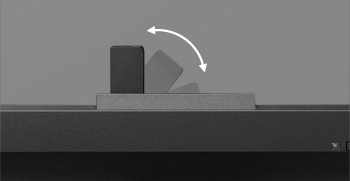
Automate your calibration with the built-in SelfCalibration sensor that is housed within the monitor's bottom bezel and swings up onto the screen only when calibrating. This sensor eliminates the need for a third-party calibration device and even operates in portrait mode.


Using either the OSD menu or the bundled ColorNavigator software, you can schedule the monitor to self-calibrate at specific times. Even if the monitor is switched off or not connected to a computer, it will stick to its preset schedule and self-calibrate.


Correlation with External Sensors
The monitor can be correlated to the measurement results of an external calibration sensor. After correlating, the built-in sensor will automatically recalibrate to the settings. This is convenient if the monitor is used in a work environment with other monitors and one measurement device must be used as a standard for all calibration.


Reproduces 99% of the Adobe RGB Color Space
An IPS panel with a wide color gamut reproduces 99% of the Adobe RGB color space so images shot in RAW can be converted to Adobe RGB or images shot in Adobe RGB will be displayed correctly. The colors seen in photos of vibrant blue skies and lush green forests will be reproduced faithfully. The wide color gamut also ensures that the monitor reproduces almost the entire ISO-coated and US web-coated CMYK color spaces used in printing as well as 93% of the DCI used in post production.

Excellent Dark Tones from an Angle
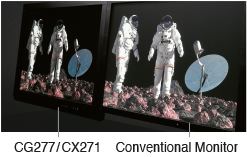
When viewing the screen from an angle in a dimly lit room, dark tones typically appear washed out due to the display characteristics of LCD backlights. The ColorEdge CG277 is equipped with a film which allows tones to retain their depth even when viewed from an angle.

Non-Glare IPS Panel
The IPS (in-plane switching) panel exhibits no glare and allows several people to view the monitor with minimal color shift.

LED Backlight Cuts Power by 40%power save
The LED backlight reduces energy consumption by 40% compared to a conventional backlight. It is also mercury-free for less impact on the environment when it is eventually disposed of.

Brightness Modulation Minimizes Flicker
To counteract the flicker that is noticeable by some users at low brightness settings, EIZO uses PWM (pulse width modulation) technology. This helps prevent eye fatigue for a more comfortable work environment.

Uniformity from Corner to Corner
Fluctuations in brightness and chromaticity on different parts of the screen are a common trait of LCD monitors. To counteract this, the monitor incorporates EIZO's patented digital uniformity equalizer (DUE) technology to ensure a Delta-E difference of 3 or less across the screen when the monitor leaves the factory. DUE also counterbalances the influences that a fluctuating ambient temperature may have on color temperature and brightness to ensure stable image display.

Individually Adjusted at the Factory
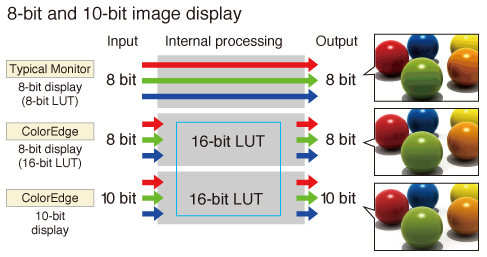
The gamma level for each ColorEdge monitor is adjusted at the factory. This is accomplished by measuring the R, G, and B gamma values from 0 – 255, then using the monitor’s 16-bit look-up table (LUT) to select the 256 most appropriate tones to achieve the desired value.

Stable Display within Seven Minutes of Startup
From the time it is turned on it typically takes 30 minutes or longer for a monitor’s brightness, chromaticity, and tone characteristics to stabilize. EIZO has shortened this warm-up time by more than 75% to a mere 7 minutes. For confirming your work in a photo studio or taking your monitor with you on location, you can get to work right away.


10-Bit Simultaneous Display

Using the DisplayPort input, the monitor offers 10-bit simultaneous color display* from a 16-bit look-up table which means it can show more than one billion colors simultaneously. This is 64 times as many colors as you get with 8-bit display which results in even smoother color gradations and reduced Delta-E between two adjacent colors.

ColorNavigator 6
The bundled ColorNavigator software makes calibration both simple and quick. Just input target values for brightness, white point, and gamma. The built-in sensor directly utilizes the monitor's look-up table and creates an ICC profile within minutes. You can always download the latest version of ColorNavigator for free here on eizo.com.

Predictable Color with Any Media
With content published on so many different types of printed and digital media it's critical to know how your clients will see color. A ColorEdge monitor and the bundled ColorNavigator software let you do just that as they are designed for both softproofing and digital device emulation. So now you can "predict" how color will appear to your clients whether you produce content for printed media like books and magazines or for digital media devices like tablets, smart phones, and notebook computers.


Unify Color, Centralize Quality Control Management
ColorNavigator NX and ColorNavigator Network allow a single administrator to automate the quality control process of ColorEdge monitors across an entire studio or between multiple locations.

With ColorNavigator NX installed on workstations, an administrator can use ColorNavigator Network software to schedule self-calibration, set the color modes, activate key lock to prevent unintended changes to color settings (CG series), register or adjust asset management settings, and import/export monitor settings.

Multiple Inputs
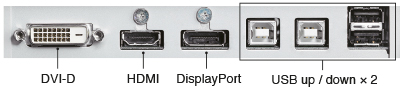
DisplayPort, HDMI, and DVI-D inputs are included and support resolutions up to 2560 x 1440. The HDMI input also offers direct connection with digital cameras. Two USB upstream ports allow two computers to be connected at once so it’s not necessary to reconnect the USB cable when using the ColorNavigator software and switching between the two computers.


Smooth Display of Video
For video editing or post production work, an overdrive circuit is included to reduce gray-to-gray response time to 6 ms and ensure that moving images look clean and sharp with a minimum of ghosting.

Adjustable Stand
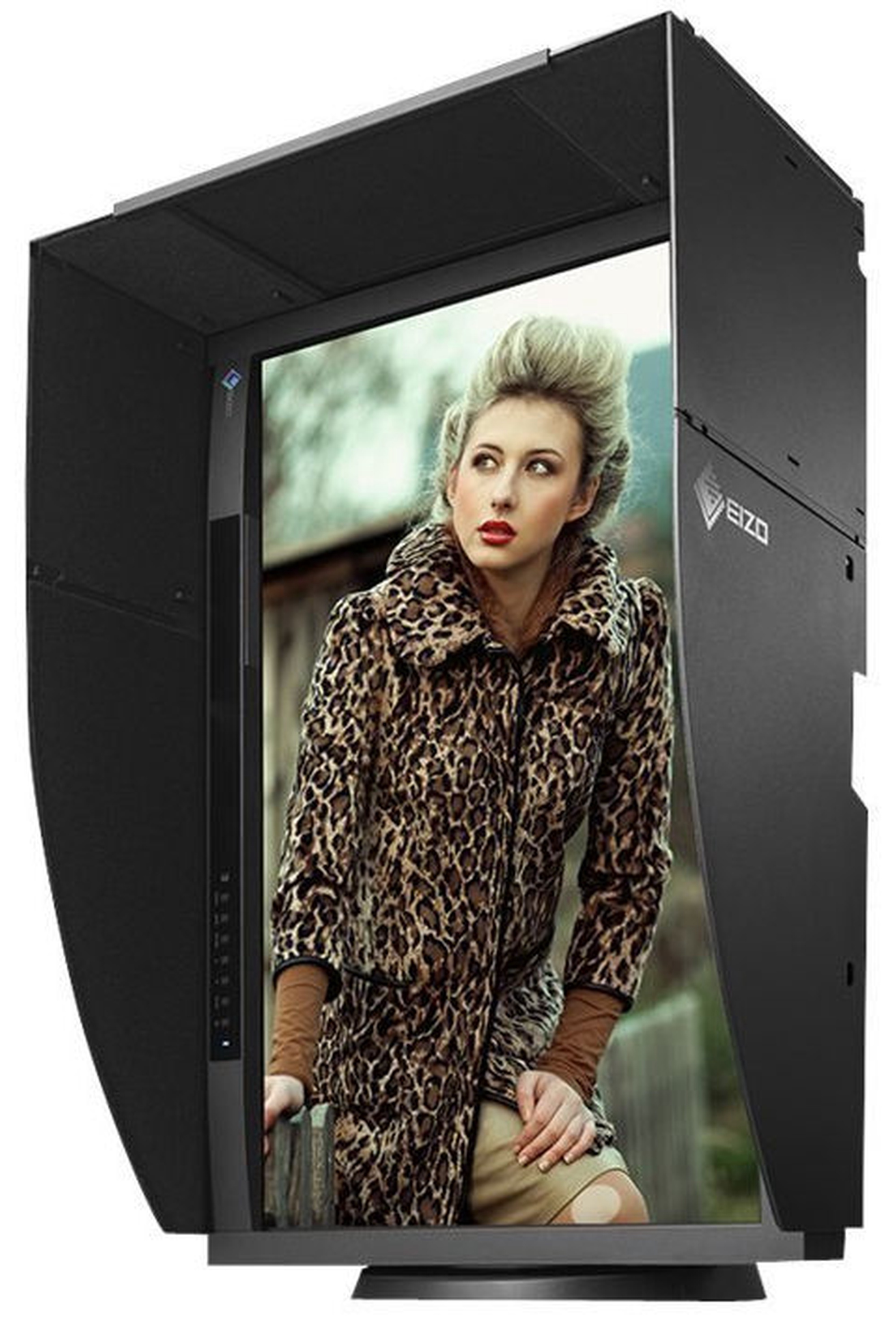
Adjust the screen to the most comfortable angle for you and reposition it to show your work to a colleague or client. The monitor comes with a versatile stand that offers height, tilt, and swivel adjustments as well as portrait mode display.


Shading Hood for Portrait and Landscape Modes
Most shading hoods can only be used in landscape mode, but this monitor comes bundled with a unique hood that is designed for portrait mode as well. Now you can keep the glare off your screen no matter which mode you work in.

HDR Gamma Support
EIZO offers optional HLG and PQ curves for many of its current CG Series monitors. The optimized gamma curves render images to appear more true to how the human eye perceives the real world compared to SDR. These products will support the HDR workflow from shooting to color grading.

Preset Color Modes
A button on the front of the monitor provides quick access to several broadcast-standard color modes reset color modes: Rec. 709, EBU, SMPTE-C, and DCI. In addition, sRGB and Adobe RGB modes are also available.

Input Support for 4K x 2K
Accepts 4K x 2K resolutions of 4096 x 2160 and 3840 x 2160 at up to 30 frames/second via the DisplayPort input then downscales them to its native resolution of 2560 x 1440. This added functionality makes the ColorEdge CG277 a practical choice for editing when working with the increasingly popular 4K x 2K resolutions used in digital television and digital cinematography.

1080/24p Playback
Film is usually shot at 24 frames/second and looks unnatural when played back on a typical monitor that displays 60 frames/second. The HDMI input supports a video signal display rate of 1080/24p frames-per-second so you can edit the film as it was meant to be viewed.

3D lut3D LUT for Accurate Color Display
A 3D LUT is included which adjusts colors individually on an RGB cubic table. With the bundled ColorNavigator software’s emulation function, the 3D LUT applies a film look to the image so creators can check how it will be seen by their audience. The 3D LUT also improves the monitor's additive color mixture (combination of RGB), which is a key factor in its ability to display neutral gray tones.

LED Buttons and On-Screen Button Guidebuttons
For dimly lit work environments like post production studios, the monitor comes with backlit control buttons and an on-screen button guide to indicate what each button is for.


Safe Area Marker
A safe area marker designates the area of the screen that will be displayed when the monitor is connected to a particular device. This allows you to check that subtitles and other text will be visible. This color of the marker is changeable to ensure it remains with any imagery.


Area Light for Dark Editing Rooms
RadiLight is a lighting solution that easily attaches directly to the monitor and shines a 6500 K light on the wall behind it. This reduces eye fatigue while not impacting the screen's visibility. It is also equipped with a spotlight for conveniently navigating your workspace.
Оттенок товара может отличаться от изображенного на фотографии. Описание продукта носит общий характер, и оно необязательно содержит все свойства продукта. Цены на товары, опубликованные в интернет-магазине, могут отличаться от цен на товары, применяемые в супермаркетах и сервисных центрах. Остатки товаров на складе и в интернет-магазине в исключительных случаях могут не совпадать, поэтому сохраняется вероятность того, что сроки доставки могут отличаться от указанных при размещении заказа и / или мы не сможем выполнить Твой заказ или выполним лишь частично (в таких случаях Покупатель будет немедленно проинформирован). Изображение, созданное искусственным интеллектом

Заметил ошибку в описании товара, таблице свойств или фотогалерее? Сообщи нам