Присоединись к SMART NET! Присоединись

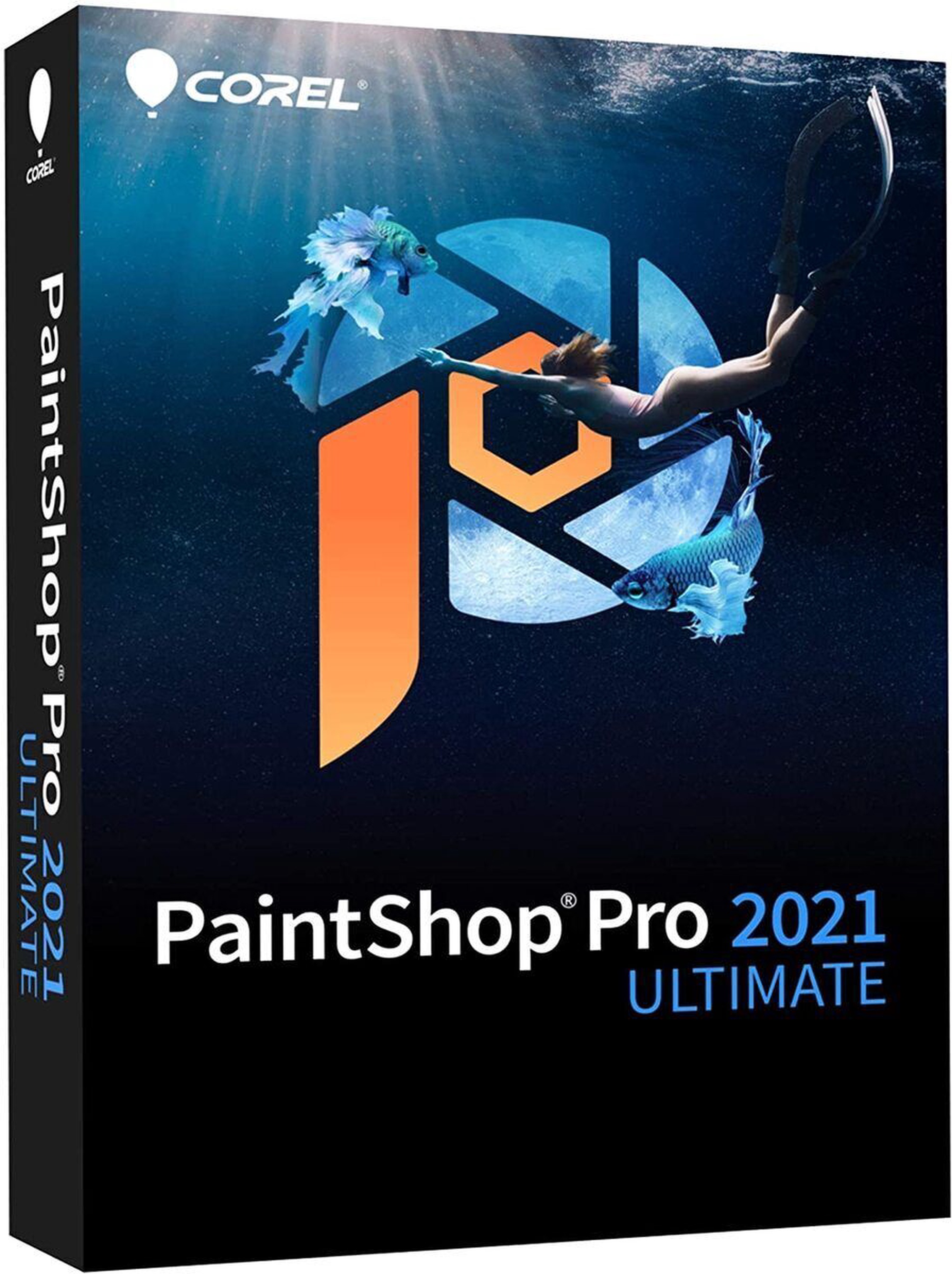
Программное обеспечение Corel


Извини, данный товар в настоящий момент недоступен. Мы предлагаем посмотреть другие товары этой категории - уверены, что найдешь похожий товар!

Можешь продолжать совершать покупки, вернувшись на главную страницу или использовав поиск по сайту.
Информация о товаре

Свойства изделия

Общие характеристики

Тип продукта Программное обеспечение
Бренд Corel
Назначение программы Для дома, учебы
Тип программного обеспечения
Есть несколько типов программного обеспечения - антивирусное программное обеспечение, резервное копирование данных программного обеспечения, офисное программное обеспечение, графические программны, операционные системы и операционные системы для серверов. Операционная система - комплекс программ, обеспечивающий управление аппаратными средствами компьютера, организующий работу с файлами и выполнение прикладных программ, осуществляющий ввод и вывод данных. Общими словами, операционная система - это первый и основной набор программ, загружающийся в компьютер. Одно из наиболее важных программных обеспечений, которое заботится о безопасности вашего компьютера является антивирусная программа. Это программное обеспечение сканирует компьютер, находит вирусы и освобождается от них. Программа резервного копирования данных - это программа, которая выполняет резервное копирование данных удаленно и автоматически, а также те, которыми могут управлять сами пользователи. Офисные программы помогут создать документы , анализировать данные, создавать презентации, управлять и планировать время т.д. Графический программное обеспечение подходит для архитекторов, дизайнеров, художников и других творческих и технических специалистов. Операционная система для серверов это программа, которая предоставляет богатую веб-платформу. Она контролирует все компьютерные операции, в том числе получения информации от оборудования, чтение и/или запись с запоминающих устройств и передачи информации для пользователей.
Для дизайна
Вид программы Полная версия
Язык Английский
Количество компьютеров
Этот параметр определяет, на скольких компьютерах программное обеспечение может использоваться.
1
Дополнительная информация Sea-to-Sky функция. AI HDR Studio. PhotoMirage™ Express. Corel AfterShot™ 3. Corel Painter Essentials™ 7. Corel Creative Collection
Описание товара на английском языке:


AI HDR Studio

Instantly give your photos a unique HDR effect with an exclusive collection of presets powered by artificial intelligence. Experiment with a variety of styles to enhance the finest details and bring out the best in all types of photography from close-up portraiture to scenic landscapes. AI HDR Studio is a hassle-free solution to correct, enhance and apply artistic flare to your photos in a matter of seconds.

Sea-to-Sky™ Workspace

Experience an all-new photo editing workspace designed to take your underwater and drone photography to new heights. Make seamless corrections and creative improvements with a custom set of tools and relive your most memorable moments to the fullest.

Painter® Essentials™ 7

Become a digital artist with Painter Essentials 7. This easy-to-learn painting program will transform your photos into amazing oil, pastel, or impressionist works of art. Or learn to paint, draw and sketch from scratch in a welcoming environment, using pencils, pens, and particles.

PhotoMirage™ Express

Effortlessly transform any image into a mesmerizing animation in a matter of minutes with PhotoMirage Express. Bringing your photos to life is ridiculously easy and addictively fun, and sharing your masterpieces on social media is a breeze. Use PhotoMirage Express to create awe-inspiring photo animations that captivate, engage, and transfix.

Corel® AfterShot™ 3

Quickly learn professional-grade RAW photo editing and take control of very large photo collections with Corel AfterShot 3. Make easy corrections and enhancements, and save time with batch processing tools that let you apply adjustments to one or thousands of photos at once.

Corel Creative Collection
Corel® Creative Collection

Expand your creative capabilities with dozens of brushes, textures, and over 100 royalty-free backgrounds. Enhance your photo projects with playful designs, flowers, sunsets, and more, along with an array of lively brushstrokes.

PaintShop Pro is getting smarter

Highly effective features and tools powered by artificial intelligence and machine learning technology make creating something truly original, achievable.

Dramatically enlarge any photo without compromising resolution or visual quality. Let the power of PaintShop Pro magnify the finest details to create the perfect frame. Watch video

Features fueling your photo editing software

Get exactly the results you want with PaintShop Pro’s innovative tools and features. Enjoy a full-featured photo and design toolset to help you create just about anything with ease.

Powerful photography tools and features

Depend on a versatile range of professional image editing tools to make every shot, the best shot.

Essential tools

Easily crop areas of your photo to alter the focus using composition guides, Golden Ratio and Rule of Thirds. Resize with ease using one of several presets, or resize by pixels, percentage or print size. Restore and repair old photos with the Scratch Remover and Fade Correction tools to enhance contrast and color to faded photos.

Adjustment tools

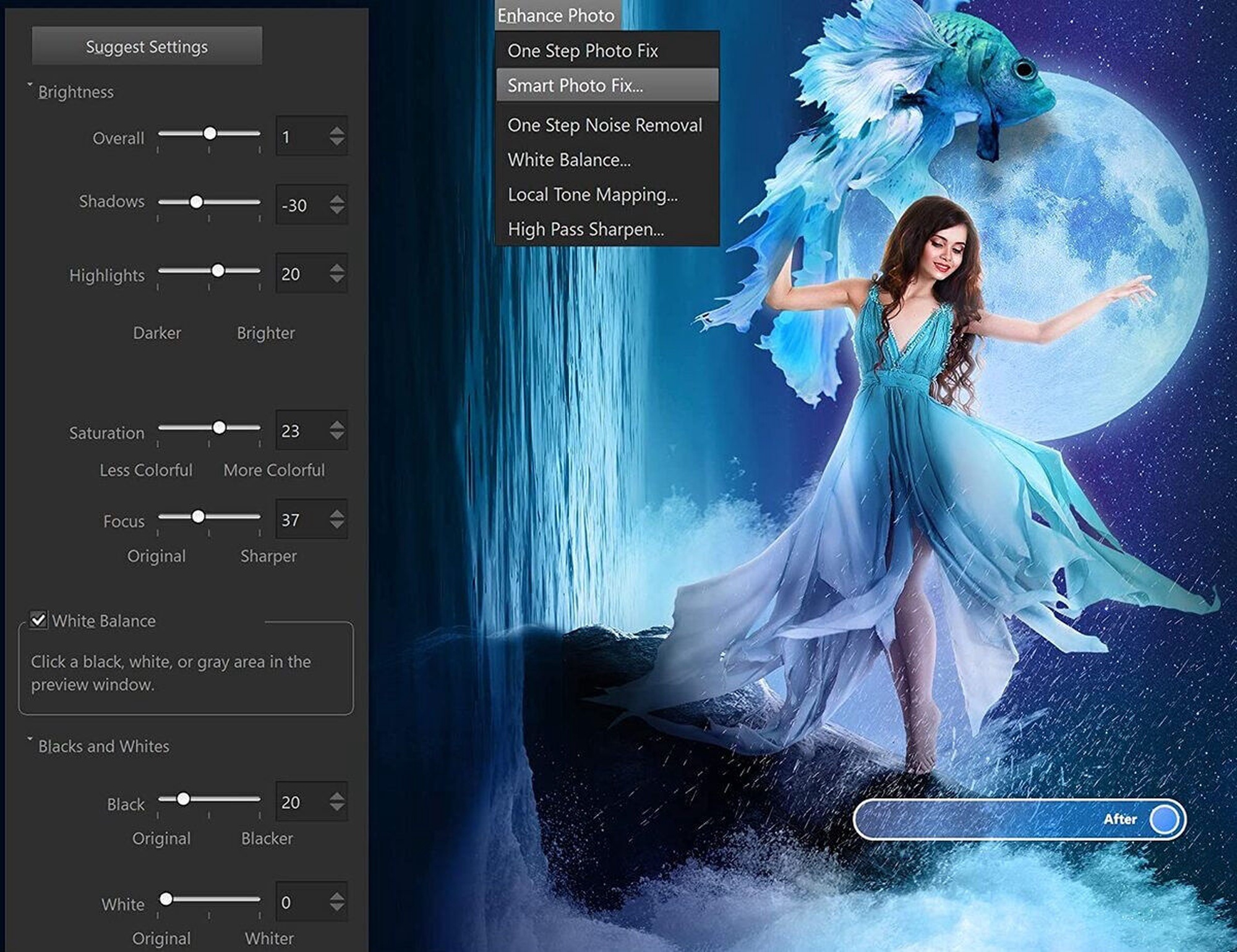
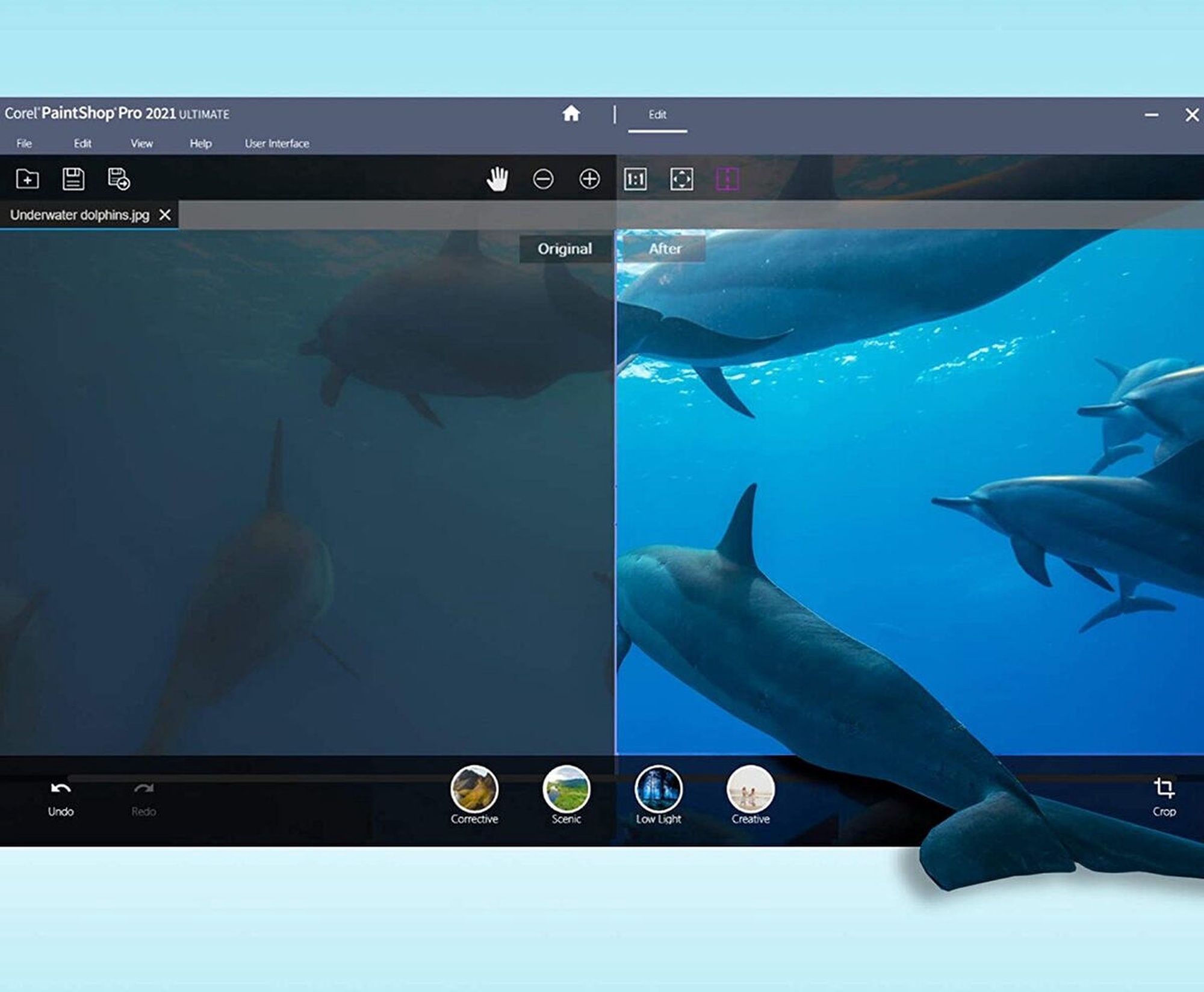
Alter your photos using a wide variety of powerful adjustment tools, including Brightness and Contrast, Fill Light and Clarity, Fade Correction, White Balance, Hue and Saturation, Noise Removal, Vibrancy, Sharpening, color correction, and tonal levels and curves.

Selection and Correction tools

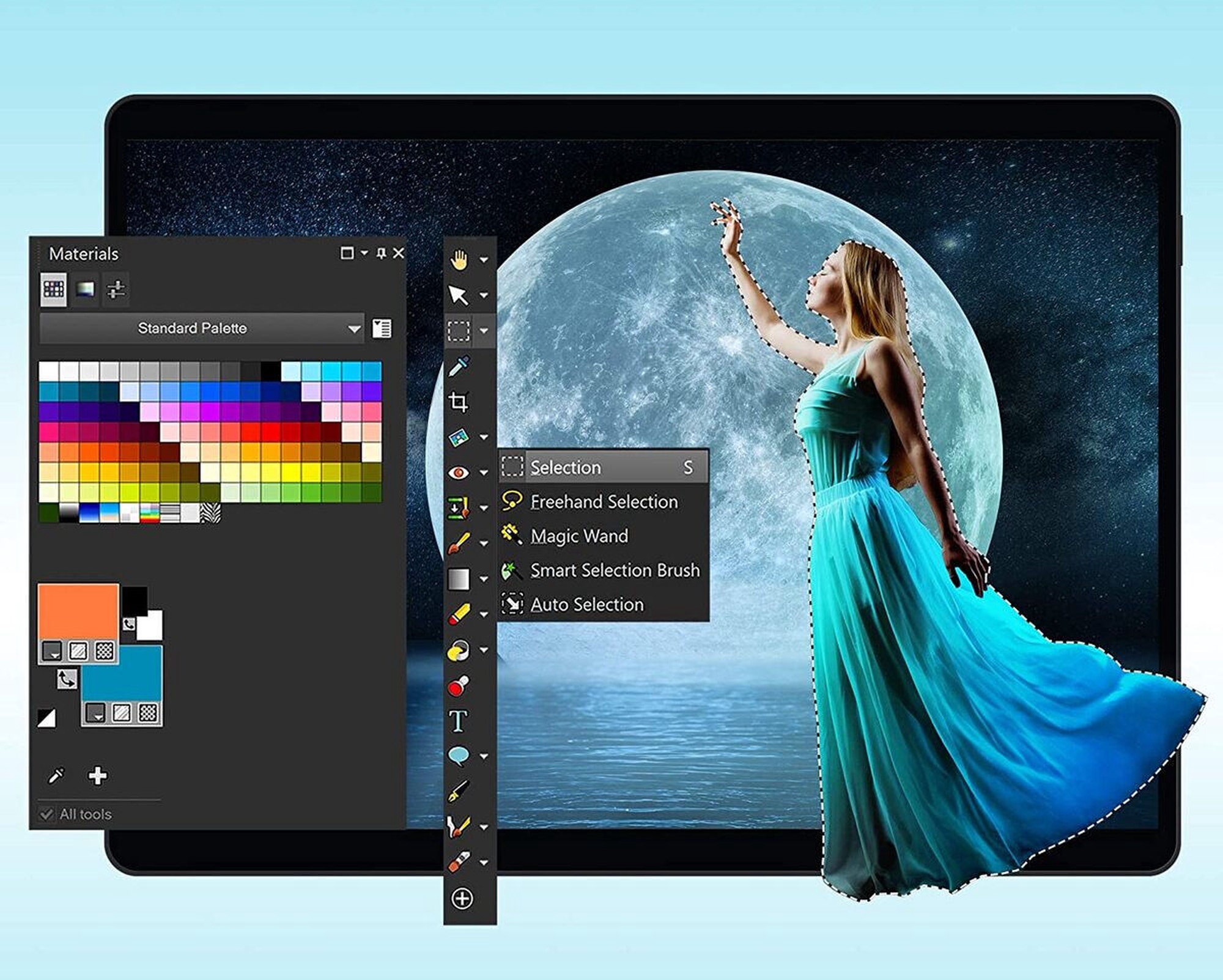
Isolate the area you want to select with a variety of Selection tools and enhance your selection with the Refine Brush. Automatically correct distortions, vignetting and chromatic aberrations in your photos with Lens Correction tools and use the Straighten tool to fix a crooked horizon, or the Perspective Correction tool to make a photo appear as though it was taken from a different angle.

RAW, HDR, and 360° camera support

Manage and save metadata in your RAW files with PaintShop Pro’s RAW Lab and correct problem areas, such as recovering blown highlights or adjusting shadows. Combine several photos of the same scene with different exposures to create one stunning HDR photo. Edit photographs taken with a 360° degree camera by straightening a photo with rotation or make it appear levelled. Remove and automatically replace a tripod or produce an interesting ‘planet-like’ effect.

Time saving tools

Reduce repetition and accelerate complex photo-editing actions with Scripts. Record a series of edits as a script to apply to any photo, anytime. Automate edits on multiple photos at once with batch processing like adding a watermark, picture frame, or simply resizing.

Creative graphic design features

PaintShop Pro is packed with creative tools for creative people.

Layers and masks

Layers and masks are essential for advanced image editing, compositing and graphic design. Use multiple, non-destructive layers when editing images to create photo composites with ease. Create masks to hide or show parts of a layer, fade between layers, and to create special effects with precision.

Text tools
Drawing, painting and fill tools

Templates and Creative Content

Smart solutions

Explore new tools powered by artificial intelligence and machine learning to improve your photos in no time.

AI-powered tools

Intricate and time consuming edits just got so much easier with the new technology engineered into PaintShop Pro. Enlarge an image without unwanted distortion with AI Upsampling, remove artifacts and noise from your photos with one click using AI Artifact Removal or AI Denoise, and stylize your photos with artistic effects using AI Style Transfer.
Content-aware tools
One-click corrections and instant effects
More tools and features to discover
PaintShop Pro is packed with everything you need to create just about anything with ease.

Organize, save and share your work

PaintShop Pro values not just your creativity, but also the practical aspects of saving, transferring, organizing, and sharing your assets.

Extensive file compatibility

Easily import, save, and export in a variety of supported file formats so you won't experience any disruptions.

Photo management

Preview, organize, and streamline your photo-editing workflow in PaintShop Pro’s Manage workspace. Add keyword tags to your photos, create catalogs, make edits to multiple photos at once, and review metadata and file information.

Learning materials

Choose from a library of helpful video tutorials in the Welcome tab, or visit PaintShop Pro’s learning page for even more assistance. Get extra tips and tricks from PaintShop Pro’s award-winning Learning Center.

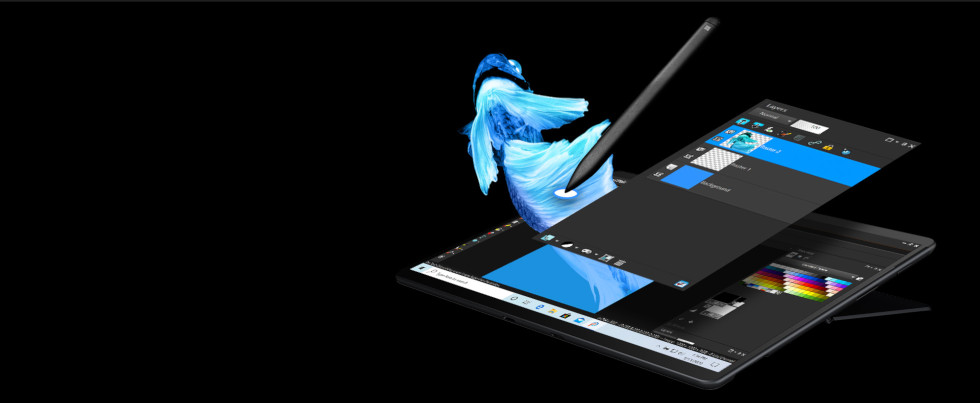
Latest stylus and graphics support

Support for all of the latest mainstream and WinTab-aware graphics tablets, as well as Windows Ink, so whether you’re drawing, painting, applying adjustments or effects, you can use a pen for more control.

Seamless content and plugin migration

Easily migrate your content from previous versions, for a seamless upgrade experience. Plugins, scripts, brush tips, color palettes, gradients, patterns, textures, and effects that you've previously installed.

Plugin support

Extend the power of PaintShop Pro with 64-bit third-party plugins including Adobe plugins or brushes, Topaz Labs, Nik Collection by DXO and so many more. Import PSD files and export to Photoshop to work effortlessly across platforms.

Keyboard shortcuts
Save time with handy keyboard shortcuts
Оттенок товара может отличаться от изображенного на фотографии. Описание продукта носит общий характер, и оно необязательно содержит все свойства продукта. Цены на товары, опубликованные в интернет-магазине, могут отличаться от цен на товары, применяемые в супермаркетах и сервисных центрах. Остатки товаров на складе и в интернет-магазине в исключительных случаях могут не совпадать, поэтому сохраняется вероятность того, что сроки доставки могут отличаться от указанных при размещении заказа и / или мы не сможем выполнить Твой заказ или выполним лишь частично (в таких случаях Покупатель будет немедленно проинформирован). Изображение, созданное искусственным интеллектом

Заметил ошибку в описании товара, таблице свойств или фотогалерее? Сообщи нам