Pievienojies SMART NET un ietaupi! Pievienoties

Programmatūra Microsoft


Atvaino, šī prece šobrīd nav pieejama internetā. Taču piedāvājam pārskatīt citas šīs kategorijas preces – ticam, ka atradīsi līdzīgu preci.

Tāpat vari turpināt iepirkšanos, atgriežoties sākumlapā vai meklēšanas laukā ierakstot, kādu preci meklēji.
Informācija

Izstrādājuma īpašības

Kopējie parametri

Produkta veids Programmatūra
Zīmols Microsoft
Programmas mērķis Mājas, skolas vajadzībām
Programmatūras veids
Ir vairāki programmatūru tipi – antivīrusa programmatūras, datu rezerves kopēšanas programmatūras, ofisa programmatūras, grafiskās programmatūras, kā arī operētājsistēmas. Operētājsistēma - programmu komplekss, kas nodrošina komponentu savstarpēju darbību datorā, nodrošinot iespēju strādāt ar failiem un lietotāja programmām. Viena no svarīgākajām programmatūrām, kas rūpējas par datora drošību, ir antivīrusa programma. Šī programmatūra pārbauda datoru, atrod vīrusus un atbrīvo no tiem. Datu rezerves kopēšanas programmatūras – ir programmatūras, kas rezerves kopēšanu veic attālināti un automātiski, kā arī tādas, kuras iespējams vadīt pašam lietotājam. Ofisa programmatūras palīdzēs radīt dokumentus, analizēt datus, veidot prezentācijas, pārvaldīt un organizēt laika plānošanu u.c. Grafiskās programmatūras piemērotas arhitektu, dizaineru, mākslinieku un citu radošo un tehnisko profesiju pārstāvjiem. Serveru operētājsistēmas ir programmatūras, kas nodrošina bagātīgu web platformu. Tās vada visas datora operācijas, ieskaitot informācijas saņemšanu no iekārtām, lasīšanu un/vai rakstīšanu no atmiņas iekārtām un informācijas pārraidi lietotājiem.
Biroju
Programmas veids Pilna versija
Datoru skaits
Šis rādītājs nosaka, cik datori attiecīgo programmatūru drīkst izmantot.
1
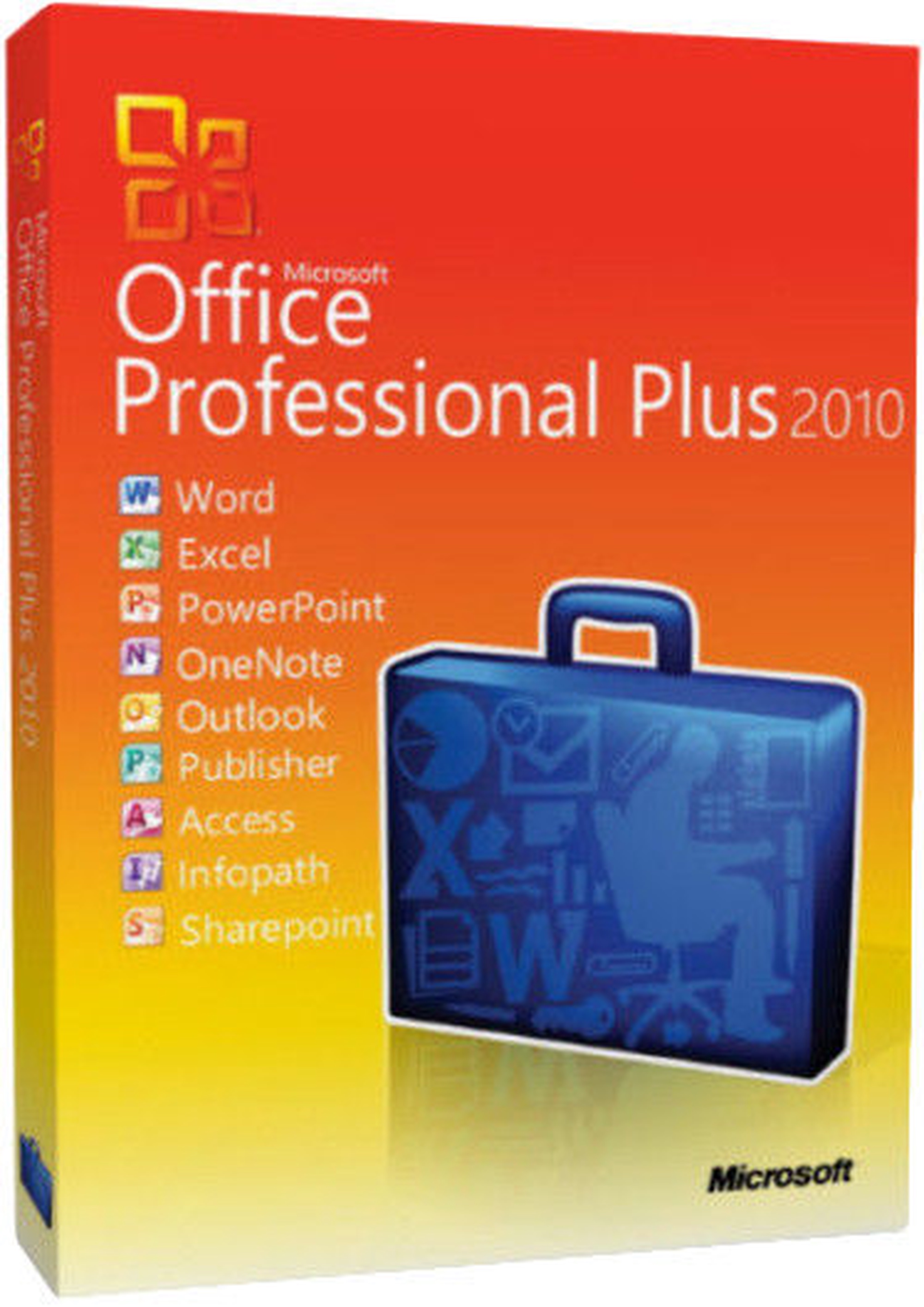
Papildus informācija Microsoft Word. Microsoft Excel. Microsoft PowerPoint. Microsoft OneNote. Microsoft Outlook. Microsoft Publisher. Microsoft Access. Microsoft InfoPath. Microsoft SharePoint
Microsoft Office Professional Plus Academic Edition Education
Preces apraksts angļu valodā:


Microsoft Office Professional Edition is the ultimate software package that provides the most important applications for today's businesses. These applications are integrated so that all the toolbars are alike, the command and function keys are identical and you can perform tasks from one program to another. Office Professional integrates with other Microsoft applications on your desktop using the same common functionality. Now it is easier to do your work because once you know one application you know them all.

Software Assurance
Microsoft's Software Assurance gives you automatic access to new technology and provides productivity benefits, support, tools, and training to help deploy and use software efficiently.

With Software Assurance, you receive access to new versions of licensed software released during the term of your agreement to deploy at your own pace. New Version Rights simplifies the procurement process and shortens the business process cycle, allowing you to reduce the costs associated with acquiring new version releases and immediately take advantage of the latest technology.


Edit photos in your documents without leaving Word, Publisher, or PowerPoint
Enhance the visual impact of your Word and Publisher documents or PowerPoint presentations with easy-to-use picture editing tools that let you crop, control brightness and contrast, sharpen or soften and add artistic visual effects.

Analyze finances at home and work with Excel
Use Sparklines in Excel to create mini-charts that make it easy to highlight trends in expenses at a glance. Use Slicers to dynamically segment and filter PivotTable data to display precisely what you need, and let the improved Conditional Formatting highlight specific items in your data set with just a few clicks.

Access, edit, and share from virtually anywhere with Office Web Apps
Get things done when you're away from the office, home, or school. Create documents in Office desktop applications, then post them online to access, view, and edit with Office Web Apps from virtually anywhere you have Internet access.

Create dynamic marketing materials with improved photo tools in Publisher
Get professional results in Publisher with photo tools that let you insert or replace photos easily while preserving your look and layout. You can also preview formatting changes before applying them, add photo captions from a library of layouts, and choose from editing options such as changing the shape of photos, pan, zoom, crop, color, and brightness.

Build a top-notch database quickly with Access
Start with prebuilt Access templates or select from community-submitted templates and customize them according to the needs of your project to make collecting information and creating reports easier than ever. Use professional-looking data bar charts created with Conditional Formatting to communicate your analysis clearly and easily.

Organize customer information efficiently in OneNote
Create a digital notebook in OneNote to capture and organize all your important customer information - text, images, video, and audio from documents, Web pages and e-mail messages - in a single, easy-to-access location.

Track and manage e-mail conversations easily in Outlook
Save time and take control of your e-mail with Conversation View in Outlook. This feature lets you condense, categorize, and even ignore lengthy e-mail exchanges with a single click, so you can manage large amounts of e-mail with ease.

Present from virtually anywhere with PowerPoint
Broadcast your PowerPoint presentation instantly through a Web browser to a remote audience, even if audience members don't have PowerPoint - with Broadcast Slide Show.
Preces krāsa var atšķirties no attēlā redzamās. Produkta apraksts ir vispārīgs, tajā ne vienmēr ir minētas visas produkta īpašības. Produktu cenas e-veikalā var atšķirties no cenām lielveikalos un servisa centros. Preču atlikums noliktavā un e-veikalā var atšķirties, tāpēc šādos gadījumos piegādes nosacījumi var atšķirties no tiem, kas norādīti pasūtījuma veikšanas brīdī un / vai nevarēsim izpildīt Tavu pasūtījumu vai tikai daļēji izpildīt (tādos gadījumos Pircējs tiek informēts nekavējoties). AI Modified - Rediģēts, izmantojot MI

Pamanīji kļūdu preces aprakstā, īpašību tabulā vai attēlu galerijā? Ziņo mums